Shapes
A box, cylinder, sphere, cone or torus by its sizes, as a new part or cut out of one.
- ShapesPart workspace toolbar
| SchoolCAD | Onshape | Fusion | SOLIDWORKS |
|---|---|---|---|
| Shapes | Extrude (box) | Box / Cylinder / Sphere / Torus | Extruded Boss (box) |
Shapes makes a simple solid straight from its sizes, without a sketch: a box, a cylinder, a sphere, a cone or a torus (a ring, like a doughnut). Use it to start quickly, to block out a design, or to cut a round hole or a pocket out of a part (Fusion: Box, Cylinder, Sphere, Torus · Tinkercad: Basic shapes).
How to use it#
- Click Shapes, or press ` and type box, cylinder or sphere.
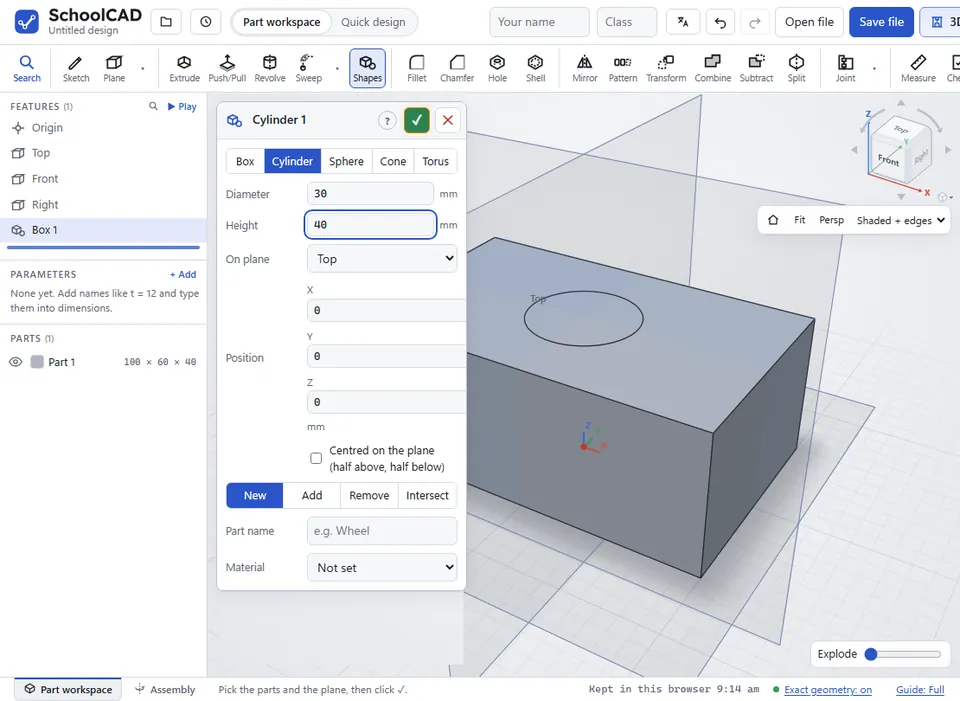
- Choose the shape, then type its sizes in mm.
- Choose the plane it stands on (Top, Front or Right) and where: X and Y across the plane, Z up from it. Tick Centred to put its middle on the plane instead.
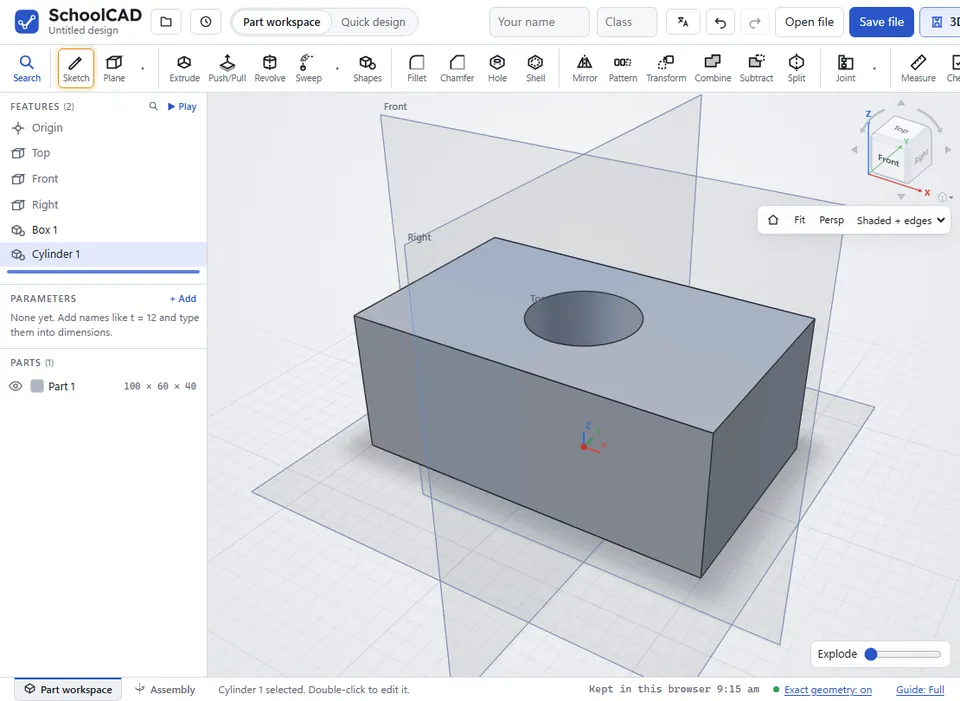
- Choose New (its own part), Add, Remove (cut it out of a part) or Intersect (keep only the overlap), and OK.
| Shape | Sizes |
|---|---|
| Box | Width (X), length (Y) and height. It is centred on the position across the plane. |
| Cylinder | Diameter and height. |
| Sphere | Diameter. |
| Cone | Bottom diameter, top diameter (0 for a point, more for a cut-off cone) and height. |
| Torus | The ring's diameter through the middle of the tube, and the tube's diameter. |
The shapes are exact: a cylinder's side is a true cylinder, so holes, fillets and drawings follow it. Double-click the feature to change its sizes later.
Step by step#
Here is the whole thing on a pot holder, from the SchoolCAD video tutorial.
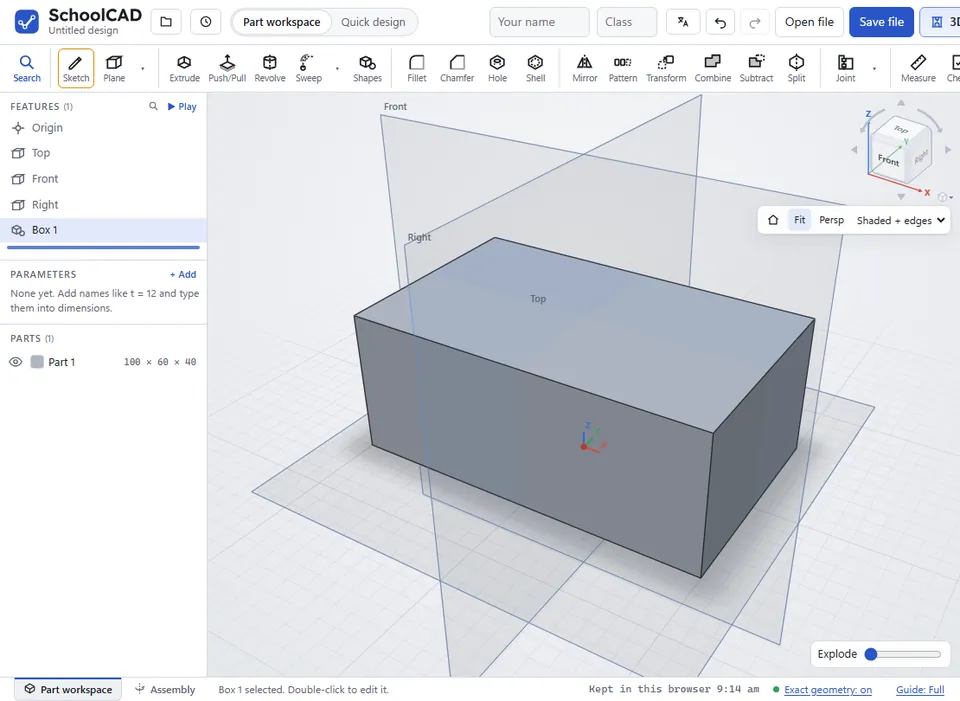
Tips#
- A design made of shapes is quick, but a sketch and extrude can be dimensioned to other parts. Use shapes for simple blocks, and sketches for the parts that must fit.
- Remove a cylinder from a box for a round pocket, or a sphere for a dimple.
If it does not work#
- Give the … a … bigger than 0. Type a size for each box.
- The ring (centre-line) diameter must be bigger than the tube diameter. A torus with a fat tube has no hole: make the ring bigger or the tube thinner.