Subtract
Cut the shape of one part out of another. Great for woodwork joints, such as a groove for a shelf.
- Subtract BPart workspace toolbar
| SchoolCAD | Onshape | Fusion | SOLIDWORKS |
|---|---|---|---|
| Subtract | Boolean (Subtract) | Combine (Cut) | Combine (Subtract) |
Subtract cuts the shape of one part out of another. Model a shelf so it goes into the side of a bookcase, then subtract the shelf from the side: the side gets a groove that fits the shelf exactly.
It is Boolean with Subtract in Onshape, Combine with Subtract in SOLIDWORKS, and Combine with Cut in Fusion. In SchoolCAD it has its own button, next to Combine, Intersect and Split.
How to use it#
- Model the parts so they overlap where they meet.
- Click Subtract, or press B.
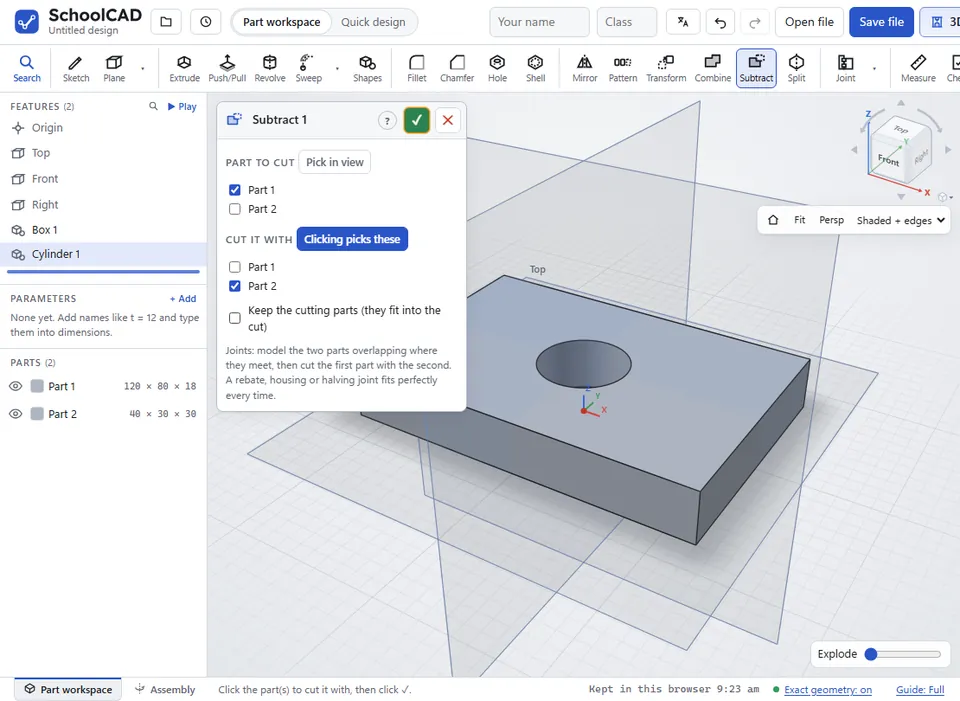
- Click the part to cut, then the part (or parts) to cut it with. Or tick them in the two lists.
- Choose whether to Keep the cutting parts.
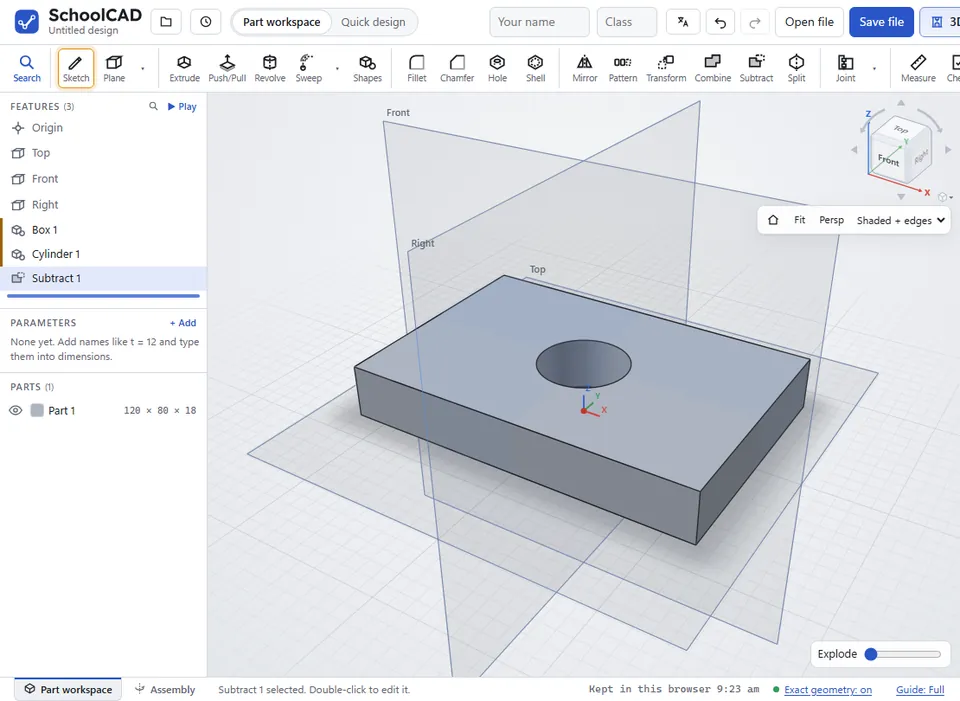
- Check the preview, then click ✓ or press Enter.
Clicks in the view go to the list whose button says Clicking picks these. After the first part, clicks go to Cut it with. To change the part to cut, click its Pick in view button. If you selected parts before you started, the first is the part to cut and the rest cut it.
Step by step#
Here is the whole thing on a board and a cylinder, from the SchoolCAD video tutorial.
Options#
| Option | What it does |
|---|---|
| Part to cut | The part that gets the cut, such as the side of the bookcase. |
| Cut it with | The part or parts whose shape is cut out, such as the shelves. A part can be in one list, not both. |
| Keep the cutting parts (they fit into the cut) | Ticked: the cutting parts stay, so the shelf sits in its new groove. Not ticked: they are used up and disappear. |
Tips#
- For woodwork joints, try Joint. It cuts housings, rebates, halving joints, mortise and tenons and more, and works out the sizes for you.
- After a Subtract, look inside the groove with Section view.
- Check lists parts that overlap. Real parts cannot overlap, so cut one with the other, or make a joint.
- To make a cutting part, Extrude a shape as New. To put it in place, use Transform.
If it does not work#
- The cutting parts do not overlap the part to cut, so nothing changed. Move or resize the cutting part so it goes into the other one, or check that you picked the right parts.
- Choose the part to cut. or Choose the cutting part(s): the shape to cut out of it.
- You need two parts that overlap: the part to cut and the part to cut it with. Make the second part first.
- The cutting part disappeared. Edit the Subtract and tick Keep the cutting parts.