Sketch mirror
Copy shapes across a mirror line in a sketch, with copies that stay symmetric when you change the original.
- Mirror MSketch toolbar
| SchoolCAD | Onshape | Fusion | SOLIDWORKS |
|---|---|---|---|
| Mirror | Mirror | Mirror | Mirror Entities |
In a sketch, Mirror copies shapes across a line, like folding paper and cutting both halves at once. Draw half of a symmetric design, such as half a handplane outline, half a guitar body or one side of a bookend, and mirror it. The copy is tied to the original, so when you change one half, the other half changes with it. To mirror whole 3D parts, use Mirror in the Part workspace.
How to use it#
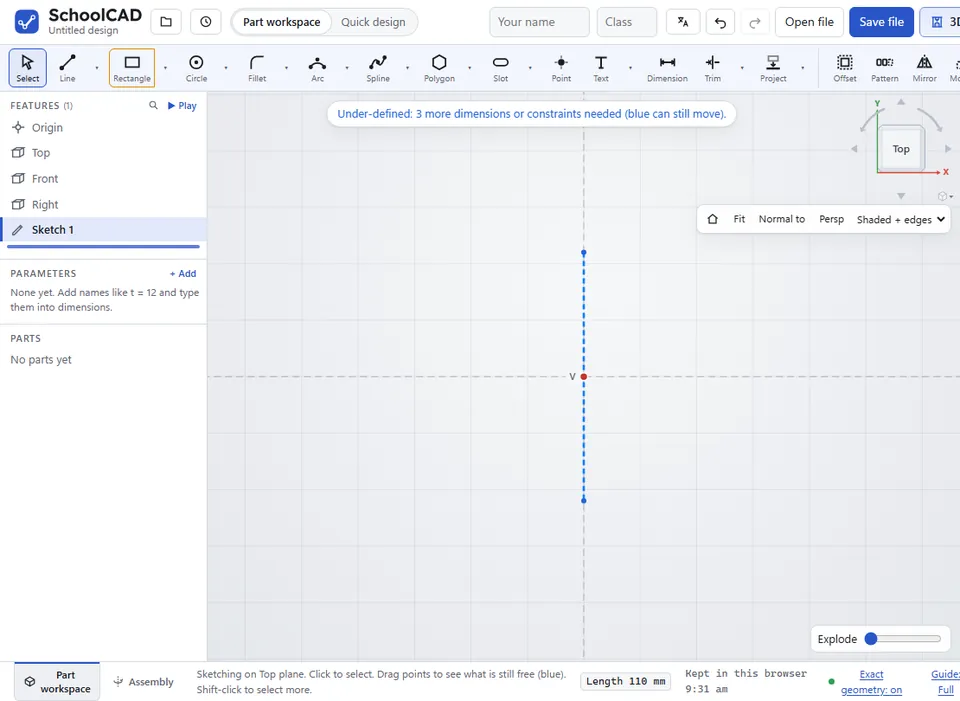
- Draw the mirror line. A construction line works well: select it and press Q to make it dashed.
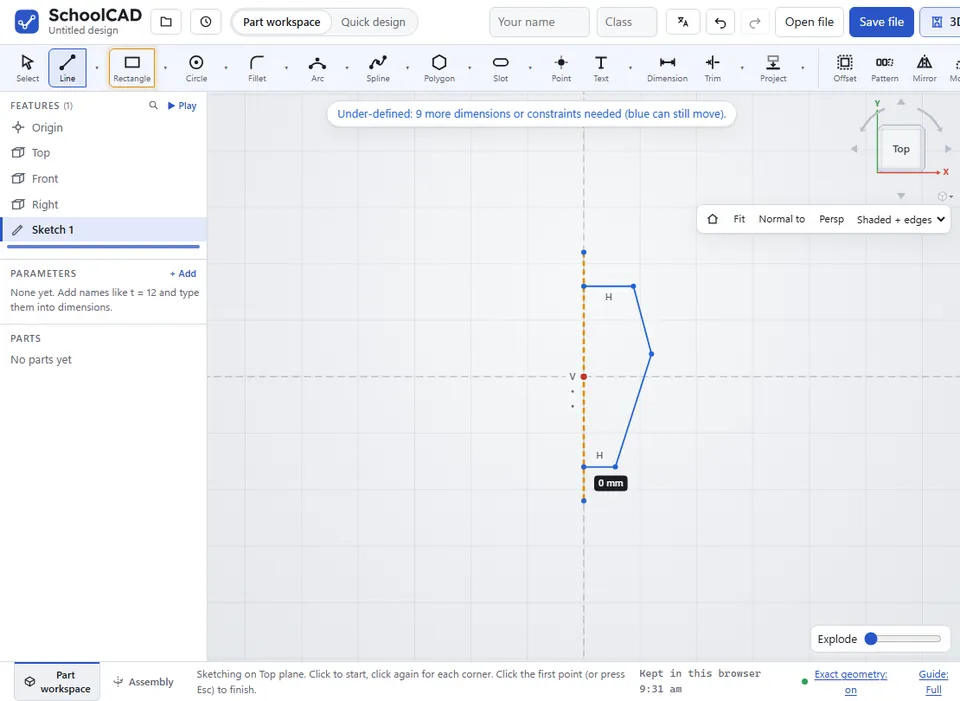
- With Select, click the shapes to copy. Shift-click to add more.
- Shift-click the mirror line last.
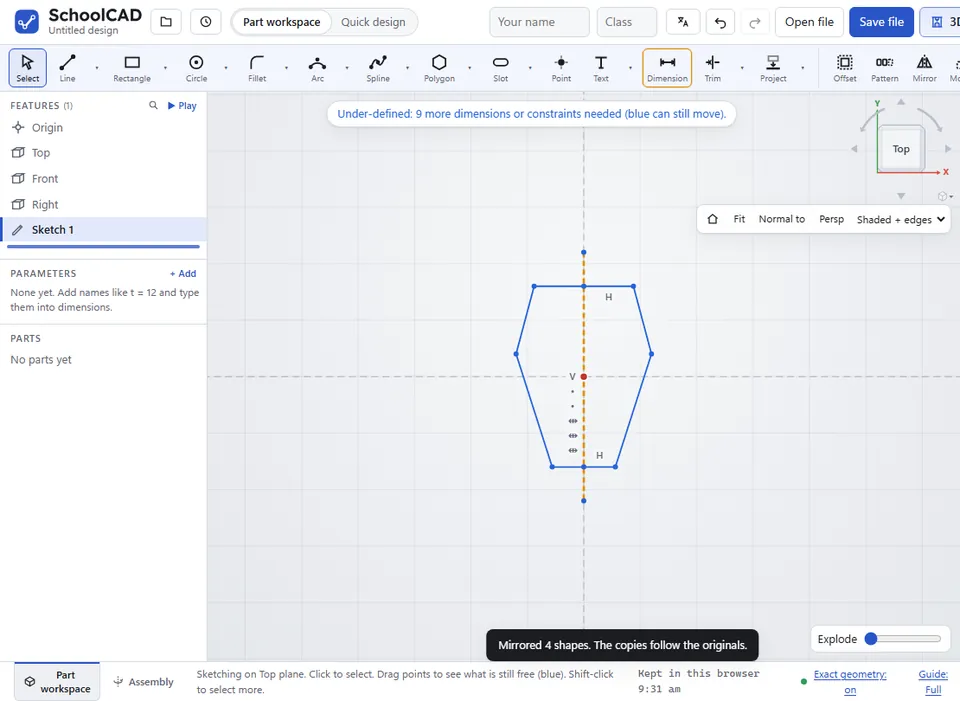
- Click Mirror in the sketch toolbar, or press M.
SchoolCAD says what it did, such as Mirrored 3 shapes. The copies follow the originals.
What you get#
- A copy of each shape on the other side of the line. Each copied point is held there by a Symmetric constraint.
- Copied circles are Equal to the originals.
- Points that sit on the mirror line are shared by both halves, so the halves join up there.
Step by step#
Here is the whole thing on a bottle opener outline, from the SchoolCAD video tutorial.

Tips#
- Put the ends of a half outline on the mirror line. The two halves then join into one closed shape.
- Dimension and constrain only the original half. The copy follows.
- Lines, arcs, circles, splines and points can all be mirrored.
If it does not work#
- Select the shapes to mirror, then Shift-click the mirror line last (a construction line works well), then Mirror. Nothing was selected, or only the line.
- The shapes were mirrored across the wrong line: the mirror line is always the last line you selected. Press Ctrl+Z, then select again with the mirror line last.