Text
Add words to a sketch as outlines you can extrude, engrave or laser-cut: names, labels and signs.
- Text TSketch toolbar
| SchoolCAD | Onshape | Fusion | SOLIDWORKS |
|---|---|---|---|
| Text | Text | Text | Text |
Text turns words into outlines in your sketch. Every letter is a closed shape, so you can extrude it up for raised letters, cut it in with Remove to engrave it, or cut it out on the laser. Use it for your name on a project, a label on a box or the words on a sign.
How to use it#
- In a sketch, click Text, or press T.
- Click where the text goes. The text is centred on this point.
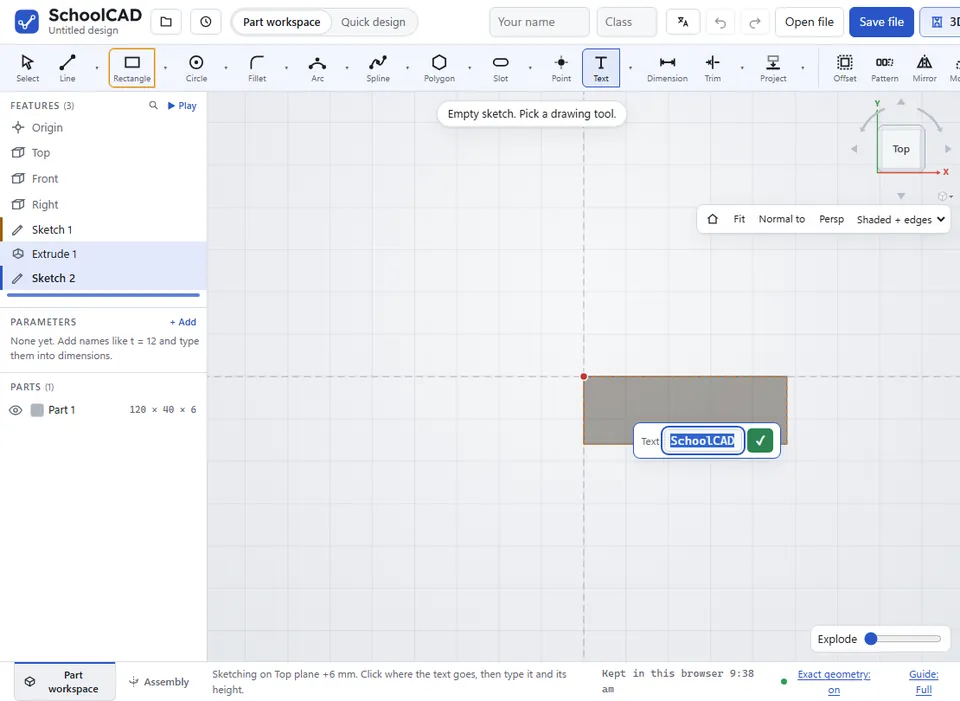
- Type the text and press Enter.
- Type the text height in mm and press Enter.
- Finish the sketch and extrude the letters: Add for raised letters, Remove to engrave them.
Step by step#
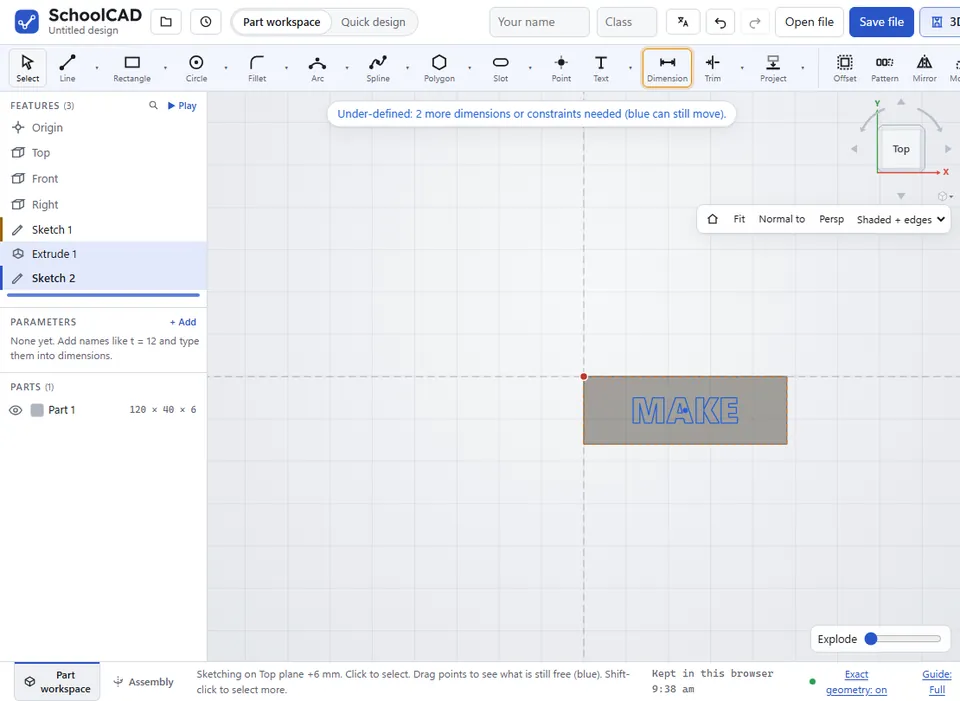
Here is the whole thing on a name plate, from the SchoolCAD video tutorial.

Tips#
- The height is the height of the whole word, from its lowest point to its highest. In a word with a tail, such as g or y, the capital letters come out smaller.
- The holes in letters such as o and A stay holes.
- The letters use a bold font, so the strokes are thick enough to make.
- To move the text, drag it with Select. To place it exactly, dimension its centre point from an edge or the origin.
- To change the words, select the text, press Delete and add it again. SchoolCAD remembers the last words and height you typed.
- Small text has thin strokes. Check it is big enough for the machine you will use.
If it does not work#
- Type some text. The text box was empty.
- Make the text at least 1 mm high. Type a bigger height.